50 tokens to win on Stripchat

How Does the AI Chat Experience Work?
Joi AI combines virtual companions, adult AI chat, and tools for generating images and videos. For this review, we explored the platform firsthand, from browsing character profiles to creating an account and starting a conversation.
We chose Kenzie Taylor to test how the character responds during an actual conversation. Our Joi AI review covers the chat experience, character selection, media features, and what users can access for free versus what requires payment.
Getting Started With Joi AI: How Easy Is It?
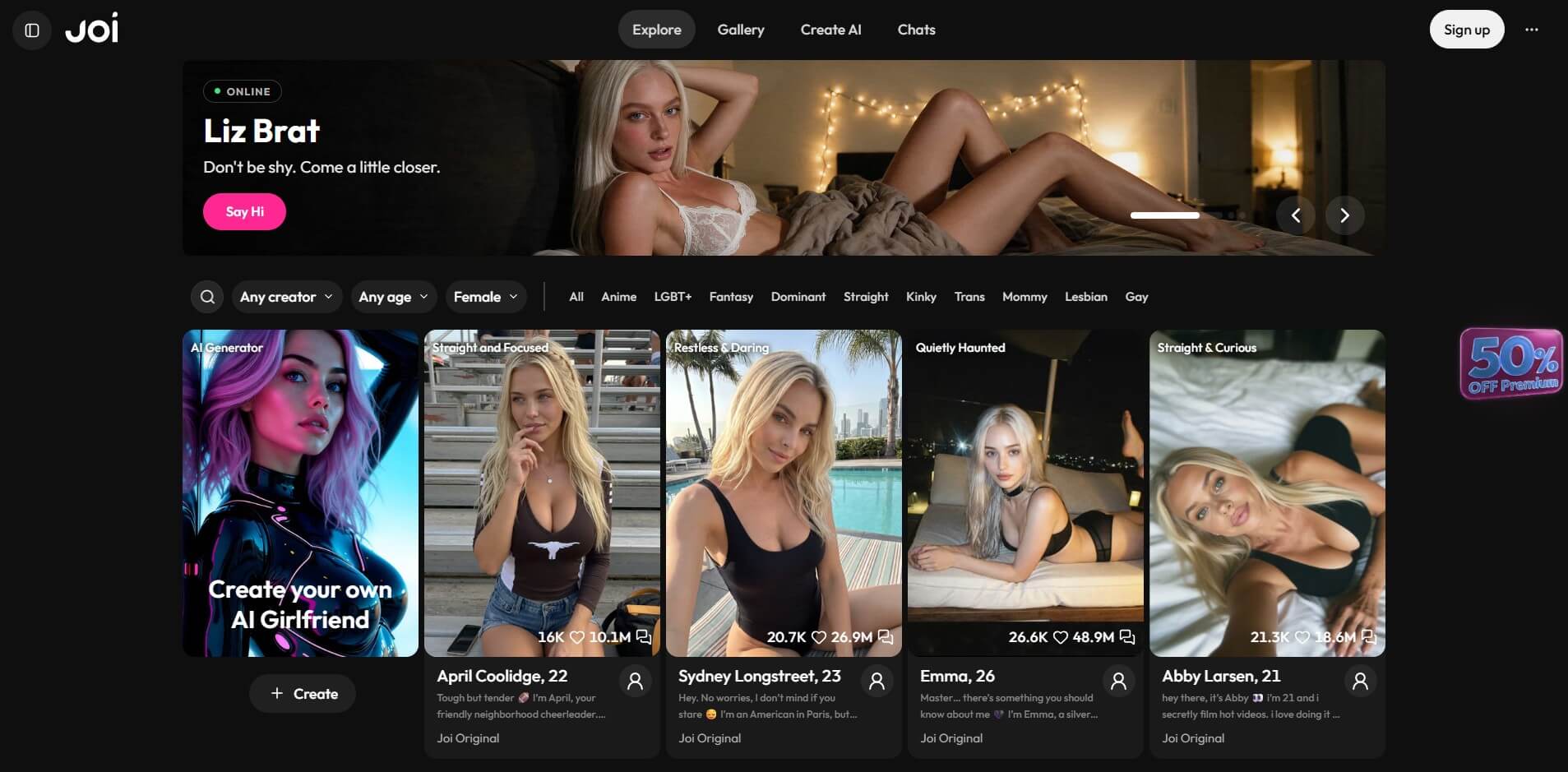
Joi AI lets you browse its characters before creating an account. On our first visit, a mature-content notice asked us to confirm we were over 18. Once we accepted, we could access the Explore page and look through the available characters.
The main navigation includes Explore, Gallery, Create AI, and Chats. Character cards show names, ages, images, and short descriptions, while filters help narrow down the selection.
We selected Kenzie Taylor, a 35-year-old character, and opened her chat interface without being logged in. Her opening message and character image were already visible, along with the message field and other chat options.
We could type a message, but clicking send triggered a registration prompt. Joi AI offered three sign-up methods: email, Google, and Discord. After signing up, we successfully sent our first message to Kenzie and received a reply.
Choosing the Right AI Character
We tested Joi AI’s character filters by switching between Celebrity and Community-made listings. We also selected the 36–45 age range, which displayed profiles such as Luna, 40, Lizzy, 43, and Patricia Roy, 40.
We first chose Kenzie Taylor, 35, from the Celebrity category, then opened Aria Spencer, 40, from the Community-made selection. Aria’s profile describes a police officer who enjoys adventurous experiences.
Their opening messages were noticeably different. Aria introduced herself and asked what brought us to her chat, while Kenzie’s first message was considerably more explicit. The opening messages suggested different conversational styles, although we hadn’t yet tested how either character responded over a longer exchange.

What Is Chatting on Joi AI Like?
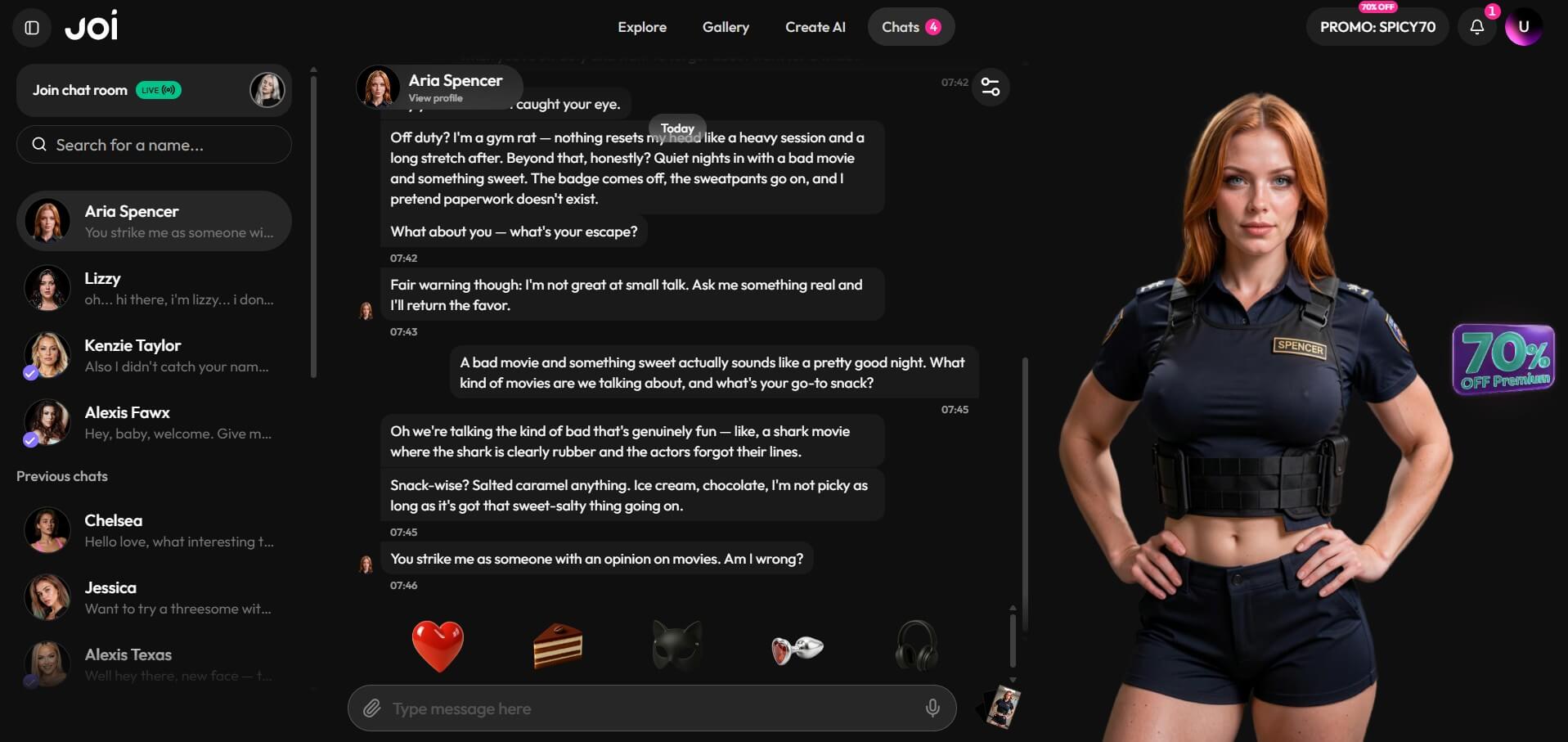
We tested Joi AI’s chat experience with two characters, Kenzie Taylor and Aria Spencer, to see how they responded to everyday questions rather than just their opening roleplay messages.
With Kenzie, we asked about her ideal Friday night. She described working out, getting dressed up, and going to a metal concert. She answered the question directly and followed up by asking whether we preferred a night out or a quieter evening.
When we asked Aria what she enjoyed doing off duty, she mentioned the gym, bad movies, and something sweet. She also joked about taking off her badge and forgetting about paperwork, a reference that fit her police officer character.
While we were still in the chat, Aria sent additional messages before we could reply. She first asked about our interests, then encouraged us to ask something more personal. When we eventually asked about her favorite movies and snacks, she mentioned cheesy shark movies and salted caramel treats.
Aria later sent another message without a new reply from us, asking whether we had strong opinions about movies. She was returning to a subject we’d already discussed rather than introducing an unrelated topic.
Both characters responded naturally to our questions, while Aria picked up on earlier topics and continued the conversation with follow-up messages. These short exchanges gave us a positive first impression of Joi AI’s chat experience.
Beyond Text Chat: Media and Extras
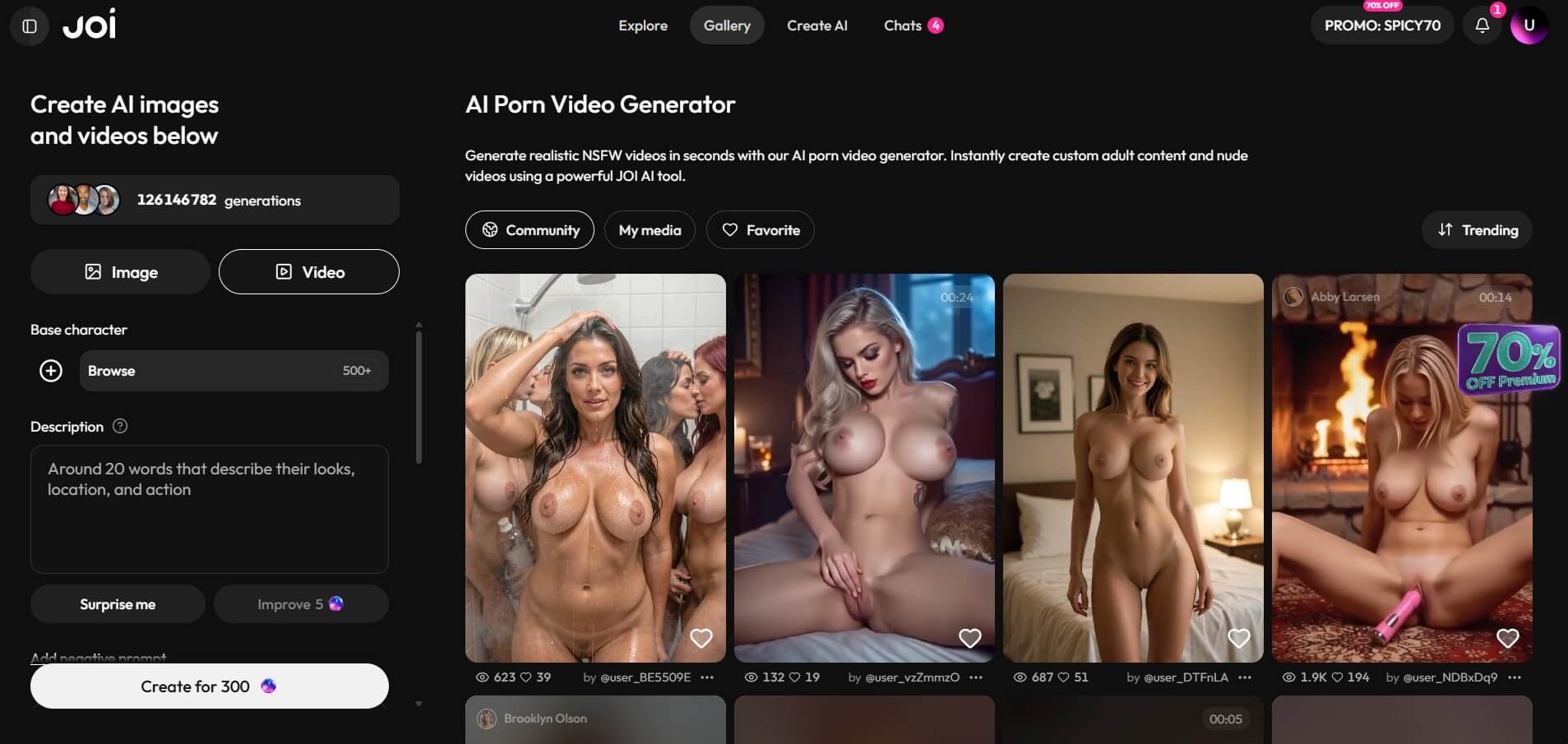
Joi AI goes beyond character conversations with a Gallery section that combines community media and AI content creation tools.
We explored the Gallery and found Community, My media, and Favorite tabs, along with a Trending sorting option. The community feed displayed images and short videos, with view and favorite counts beneath individual posts.
The creation panel sits alongside the gallery. It offers separate Image and Video modes, a base-character selector, and a description field for entering prompts. With Image mode selected, the creation button displayed a cost of 300 Coins in the configuration we viewed.
Aria Spencer’s chat also included a Make video option.
We examined the available video options but did not evaluate the quality of newly generated videos in this test.
Free Access vs. Paid Features
Joi AI lets visitors browse its character selection before registering. With a free account, we could chat with Kenzie Taylor and Aria Spencer without purchasing Premium.
Joi AI lists AI character creation, monthly Coins for media generation, and priority creation among its Premium benefits. The platform displayed three subscription options during our review:
- 1 month: $3.22 per week, with 1,000 Coins per month.
- 3 months: $1.61 per week, with 1,200 Coins per month and a 5% discount on additional Coins.
- 12 months: $0.92 per week, with 1,500 Coins per month and a 10% discount on additional Coins.
These are the weekly equivalent prices displayed on the subscription page, not necessarily weekly billing amounts. The annual plan was also advertised at $47.99 per year, with promotional discounts of 50% and 71% shown for the three-month and twelve-month options under the SPICY70 promotion.
The subscription page advertises up to 20 images or 5 videos for the monthly plan, compared with up to 350 images or 100 videos for the annual plan. The expanded benefits for the annual plan also advertised an 8,000-message smart memory feature, adult roleplay options, and priority creation without waiting.
These are advertised benefits rather than features we independently tested.
Some character content has separate access restrictions. Aria Spencer’s gallery, for example, displayed a Subscribe to unlock prompt, even though we could access her profile and chat without unlocking the gallery.
For visitors primarily interested in AI conversations, the free account offers a way to try the experience first. Premium is more relevant for those who want to create characters, generate media regularly, or access the additional features listed in the subscription plans.
Who Will Enjoy Joi AI the Most?
Joi AI may appeal to people who want to try an AI companion conversation before deciding whether to pay. A free account was enough for our initial conversations.
Joi AI may also suit users who want to filter characters by age or category. These options make it easier to find profiles that match particular interests, while introductory messages offer a preview of each character’s approach.
In our short tests, both characters answered everyday questions, and Aria introduced follow-up topics without requiring us to follow her initial roleplay prompt. Users interested in creating characters or generating images and videos have additional options to explore, although they should consider the associated Premium features and Coin costs.
Overall, Joi AI offers a good starting point for exploring virtual companions, with a variety of characters and conversation styles to discover.
Final Verdict on Joi AI
Joi AI delivered a positive experience during our hands-on review. Browsing characters was accessible without an account, registration was uncomplicated, and we could start chatting without purchasing Premium.
The conversations were the strongest part of our test. Both Kenzie Taylor and Aria Spencer responded to everyday questions with relevant details. Aria also sent follow-up messages before we replied, giving us another example of how the chat behaves during an active conversation.
Character filters make browsing easier, while the Gallery adds image and video tools for users interested in media creation. However, some content requires paid access, and we haven’t verified how well the advertised memory features perform across separate sessions.
Our verdict: Joi AI is a worthwhile option for adults interested in exploring AI companions, especially those who want to try the chat experience before deciding whether Premium is right for them.